Desertcart purchases this item on your behalf and handles shipping, customs, and support to Indonesia.
๐ Elevate your workspace: Dual 4K power, fast charging, and instant switchingโbecause your productivity deserves the best!
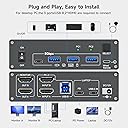
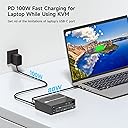
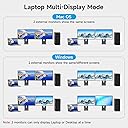
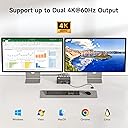
The DXchip 4K USB Type-C Docking KVM Switch is a cutting-edge 2-in-1 solution combining a USB-C docking station with a dual-monitor KVM switch. It supports dual 4K@60Hz HDMI outputs with true 4:4:4 color clarity, 4 USB 3.0 ports for high-speed 5Gbps data transfer, and 100W power delivery to keep laptops charged. Compatible with major OS platforms, it enables seamless switching between a laptop and desktop using a wired remote or push button, streamlining multitasking for professionals who demand efficiency and clarity.


| ASIN | B0FP8L1921 |
| Best Sellers Rank | #16,524 in Computers & Accessories ( See Top 100 in Computers & Accessories ) #31 in KVM Switches |
| Brand | DXchip |
| Brand Name | DXchip |
| Circuit Type | 2-way |
| Colour | Silver |
| Compatible Devices | Laptop, Personal Computer |
| Connectivity Protocol | USB, HDMI |
| Connector Type | Hdmi |
| Contact Material | Metal |
| Contact Type | Normally Open |
| Control Method | Push Button |
| Control Type | Switching between two computers |
| Current Rating | 2 Amps |
| Customer Reviews | 4.5 out of 5 stars 25 Reviews |
| Included Components | USB-C 3.1 Gen 2 Cable; USB-A to B Cable; Wired Remote; Power Adapter |
| Item Dimensions | 11.8 x 9 x 3.6 Centimeters |
| Manufacturer | DXchip |
| Material Type | Plastic |
| Model Number | KVM202CH |
| Mounting Type | Rack Mount |
| Number of Items | 200 |
| Number of Positions | 2 |
| Operating Voltage | 12 Volts |
| Operation Mode | ON-OFF |
| Part Number | KVM202CH001 |
| Smart Home Compatibility | Not Smart Home Compatible |
| Switch Type | Push Button |
| UPC | 714855572857 |
| Unit Count | 500.0 Count |
| Wattage | 100 Watts |
N**1
Great product
Very satisfied so far with my purchase. Very affordable and works great.
J**9
It worked for me ๐!
Iโm far from being tech savvyโฆ but after asking a few questions and getting some advice from Alexia, this switch is working perfect. I have two monitors, a laptop & PC, printer and wireless mouse/keyboard connected. It takes only a few seconds to go from device to device. The trick.,, use quality cables as the cheaper cables would not communicate.
R**T
PC/Laptop KVM Switch
Works as expected, only drawback is it does not have enough power to charge my laptop thru the unit. Just means I have to plug it in separately. Makes my setup more convenient whenever I work from home.
A**R
Perfecto
This unit works great. I get the KVM and a port replicator in one. I just tested it and everything works, except... I plugged in my laptop charger (very powerful) into the PD port, and I got this strange BIOS pop-up while booting, "You have plugged in a lower wattage power adapter, USB-C charging device, or power pass-through device. Your system will continue to work, but may not perform at its peak." I'm not sure if that means it will not charge while being used, or what. I will say that luckily my laptop had 2 USB-C ports, so I can just plug the charger in directly... but this was the only disappointing thing about this unit. When I tested everything to see it was working (including video recording from USB cam on both systems), it was using this PD port, and I didn't notice any performance issues. I'm really pleased that all the ports seem to be working perfectly. Update: I contacted the seller and found out that Dell has a proprietary PD protocol so it reports under-powered charnger, but I tested it playing videos &c and made sure it wasn't losing charge, so I can simply turn off the BIOS and Win11 warnings without concern.
I**N
Good overall, with one small issue.
It does leave you with a lot of cords going in and out of this thing but that's still better than relying on two sets of monitors. The biggest issue is that it does not have enough juice to keep my Dell laptop powered. Still need to use the OEM charger for that. Also it likes HDMI monitors better than any VGA or DP converted monitors so keep that in mind. You might need a new monitor or some "approved" cable adapters to get it to work right. Update, got my PC to dual monitor mode with a VGA to HDMI adapter.
Trustpilot
2 weeks ago
3 days ago