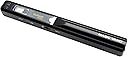
Desertcart purchases this item on your behalf and handles shipping, customs, and support to Indonesia.
โจ Scan Smarter, Work Anywhere โ Your Portable Office Essential
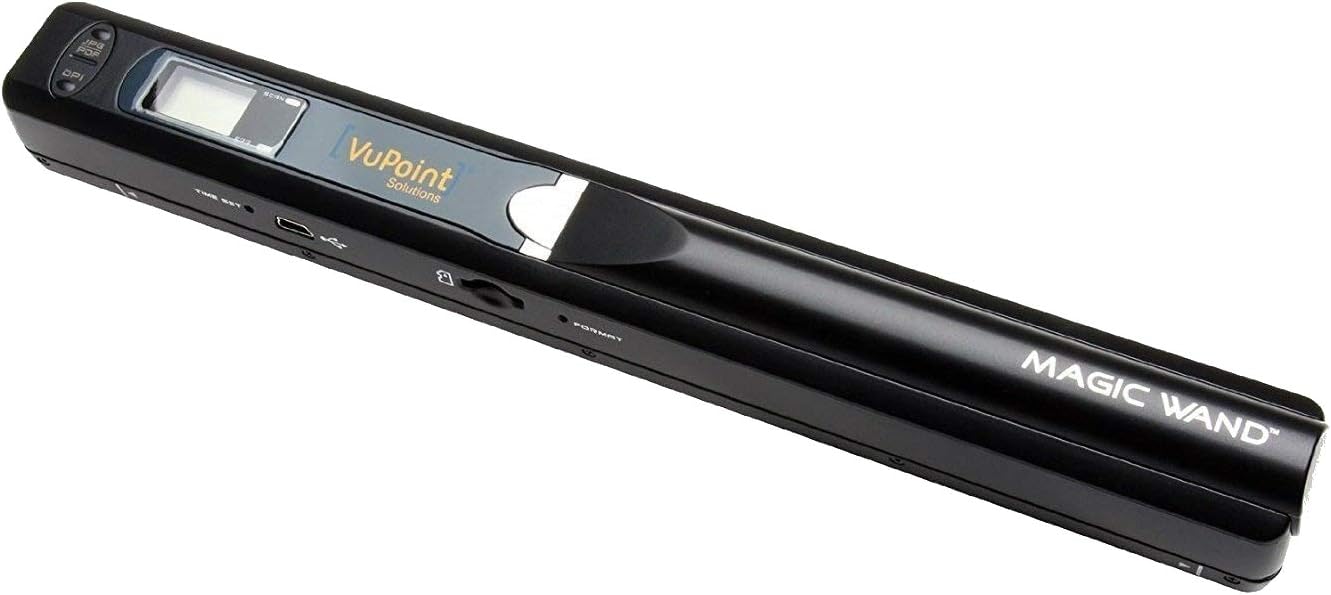
The VuPoint Magic Wand Portable Scanner is a sleek, handheld device designed for professionals who demand quick, high-quality scans on the move. With a generous 8.27 x 98 inch scan area and up to 900 DPI resolution, it effortlessly digitizes documents and photos. Its lightweight, battery-powered design and microSD storage (up to 32GB) make it perfect for busy managers needing instant access to editable, searchable files via included OCR software (Windows only). Ideal for preserving memories or streamlining document workflows anywhere.
| ASIN | B004EFXW6Q |
| Best Sellers Rank | #274,120 in Office Products ( See Top 100 in Office Products ) #286 in Document Scanners |
| Brand | VuPoint Solutions |
| Color Depth | 24 bits |
| Connection Type | USB |
| Connectivity Technology | USB |
| Customer Reviews | 3.9 out of 5 stars 591 Reviews |
| Global Trade Identification Number | 08741210029116 |
| Item Weight | 5.3 Ounces |
| Manufacturer | VuPoint |
| Media Type | Paper, Photo, Slide |
| Minimum System Requirements | Windows 7 |
| Model Name | Magic Wand Portable Scanner |
| Resolution | 900 |
| Scanner Type | Document |
| UPC | 874121002911 898029662213 023751215622 |
| Unit Count | 1.0 Count |
| Warranty Description | 1 year |
L**G
Very Portable scanner
I spent my day testing this out for a perfect copy, It copies the way you drag it across your document. To perfect each copy, I took a piece of cardboard, glued a stick to the side, a cheap ruller will work, to have a perfect straight line to copy by.. I then folded a thick paper to hold the document, it was glued with less than a 1/4 in fold overhang. to frame the document. About 1/2 inch from the stick, according to the scanner guide line. I made another folded paper guide on the other side to keep the paper from shifting. I laid the cardboard holder on a mouse pad to keep it from shifting. I can put a document on the cardboard holders & guide the scanners for 3 seconds with both hands & turn out perfect copies, all on the memory chip. Then I put the micro sd memory in the adapter to fit usb or sd adapter, & check or print out from computer. It works on rechargeable batteries, & 8 gigs memory will hold 4000 documents, I am guessing that the rechargeable battery will probably copy 50 pages per charge.The scanner is just a portable stick & the scanner guide that I made will be slightly larger than a page & will fit in any folder. I got tired of the big scanners that are delicate, clumbsy, & has to be programed. I used no cables, no programming, but I move the memory chip to where I want the scanned information, up to the 4000 copies that an 8 gig chip will hold. it takes at least 3 seconds to a copy, & at least 3 seconds to set up each page. It is free of frustration, convenient & portable. Just be careful when opening the package, it could slide out onto the floor when you open the package.
T**R
Absolutely does what it's made for
First, make sure you also get a case for it ( VuPoint PDSC-IW441-VP Solutions Carrying Case for Magic Wand Portable Scanner ); it only comes with a thin little cloth sleeve on its own and the quality of your scan hinges on how clean and safe you keep the glass lens on the bottom. The case linked above is really impressive for the cost. Next, it works just like the hand-held scanners I started with in the 286 era: scanning was more of an art than a science because how good a scan you get is 100% dependent on how steady your hand is. Until you get better, you'll often get all sorts of wavy distortion that even PS won't fix. It's best for small projects, like scanning a cartoon or a 3 x 5 photo. I got it specifically for scanning illustrations in books without having to wreck the book itself, and it's far better at that then the results I got with my flat-bed scanner or camera phone. It's also more convenient, since I don't have to be anywhere near a computer to use it; it's perfect for doing research runs to the library. When you get home, it hooks up to your PC like plugging in an external hard drive. Since cards go bad from time to time, you'll want to dump your scans often. It will scan to jpg (or PDF, but... why?) in either 300, 600, or 900 dpi and 8-bit color. Again, small projects work best. You can use up to a 32 MB microSDHC memory card, which will hold tons of scans even at the highest resolution (it has a counter on it, and I'm at 200+ now with the card around a quarter full). It works great right out of the box, and seems especially well built given the cost (much like the case). It's weird to be pleasantly surprised like this, but boy was I ever. It's one of those things you never know you need until you get it.
C**N
Quick, Easy, and Great Scans
I bought this for school, as I am terrible about losing important paperwork that I end up needing later. Being able to scan without being connected to a computer is extremely handy. Even on the lowest DPI scan, it produces sharp images of a black and white handouts, with each page taking about 2 seconds to slide across. At the highest setting, you do need to slow your roll some and take 5-7 seconds per scan, but I have found I only needed high settings for the smallest of text (and for color of course). It doesn't recognize the edges of the paper however, so you may end up with scans that need to be cropped in order to remove the edges that have a nice scan of the desk you were working on. Not important to me, but if you needed more professional scans for a presentation or something it may be something you need to think about. I would hate to scan 100 things and have to edit each one to remove it. The device itself is nicely portable, it actually has the same width as my MS Surface Pro, so it fits easily into the tablet bag I use for the Pro. The scanner came with a sleeve to protect it. My only complaint about the scanner is that you CAN'T hook it to a computer to instantly see your scan. You have to scan first, then connect it, and then it works like a removable drive with the files listed. It So if you are scanning a ton of pages, instead of being able to glance at each one on the PC as you go, you have to wait and do it all afterwards. The software that comes with it is helpful, but not perfect. It converts JPG scans into Word, Excel, PDF, and Emails, but it cannot do anything with a PDF scan. This may be a limitation imposed by Adobe, or a ploy for you to upgrade to their professional edition ($90 at the time of this post), I am not sure. I do see the professional version gives you the ability to convert PDF files.
E**H
Think twice
When I heard about this product and its scanning abilities I was very happy; as it was going to save me a lot of time and trouble. Unfortunately I was not able to make it work as promised. Just to make sure I understood how the Scanner worked, I watched U-Tube videos several times and made one scan before my trip. As it turned out I was not able to make more than one scan completely. The other attempts came as error messages, or if I waited for 30 min I could make another. What seemed to be happening is that it was tired, and only would make one scan than wait for 30 minutes for another. I changed the batteries several times, hoping this was the problem. It would have been a great help if it just worked as promised. The purchase of this scanner suggested memory (a necessity) , or an adapter, then I purchased a sturdy case. The memory card (definitely needed) the adapter (not so much, and the case (very helpful during the travel) are useless without working a scanner. I am going to return the scanner and try for a replacement.
A**S
The good: - It's small and portable
The good: - It's small and portable. Battery life on two cheap alkaline AAs from IKEA seems to be decent. - It is fully standards-compliant and requires no driver installation whatsoever, it simply writes files to a microSD card and then acts as a standard card reader when plugged into a computer. The bad: - It deals very poorly with even slight wrinkles or creases in what you're scanning. Even if it's an otherwise perfectly crisp piece of paper that's been unfolded from a standard business envelope, the resulting image will have some kind of a glitch in it. I tried to remedy this by buying a small rectangle of clear acrylic to provide a flat surface over which to scan, but this resulted in a blurry image instead of a glitchy one. A standard copier transparency helps a little if you're trying to scan a smaller item such as a receipt. - There's a large dead zone on the scanner's margins, this makes it useless for scanning pages from a book of any size. - Holding both the scanner and thing you're scanning as you try to swipe the scanner along its length at an even rate of speed can be awkward. Using a surface with some grip to it can help with this. In summation, the concept is kind of neat, certainly not the worst piece of technology I've ever used, but for practical purposes, at this point I think I'll just invest in a standard flatbed or automatic-feed scanner.
B**D
Best handy scanner that I have used
Works great and is small enough to have in back pack with computer. As an adjuster it work very good to copy receipts.
J**L
Not bad quality but kinda hard to use it properly
Work not bad with the quality , but hard to keep the same speed when you swipe the document. Sometimes need to try it multiple time for a good scanning.
G**Y
VuPoint Solutions Magic Wand Portable Scanner
Incredible item! Some things you need to be saving for posterity are too big for your printer/flatbed scanner and this wand fills the gap. From artwork, pictures, books, you can scan and save it all. Separately buy a micro SD (which can be used with other things like cameras, computers, etc.) which spreads the cost, since micro SDs usually come with a standard size adapter. When I first tried to use the Wand I was not getting good results: Saw only a small slice of my document. I called the really great customer service and found out I was scanning TOO SLOWLY!. Took about 1 minute to explain and figure out. Thanks, VuPoint. Also you get the really valuable Paper Port software for scanning, searching and organizing documents. I used to work with this type of software before I retired, and I really missed it, but not now. Also included is a USB cable for connection to a computer, a cleaning cloth, batteries, and a storage bag for the Wand. I am impressed, so much so that I am buying two others for Christmas gifts. And, no, I am not an employee of this company LOL. It is just a very good product that meets my needs.
K**O
handy gadget
This scanner is very handy. You need a little time to get used to it but very quickly you will be able to make very good scans. Even if your hand fails a little the result will be readable. However, there are some certain inescapable difficulties because of its design. Specifically, when a book is not able to fold wide open in a flat manner and the printed text is very close to the middle of the open pages then, sometimes, the scanner is not able to scan the edge of the text. However, overall, I am very happy with it. You can easily carry it around with you and use it instantly. Perhaps it would be better with a replaceable lithium battery than the casual ones that it normally uses. There is a limit of about 180 pages per new batteries before you have to replace them, but, most of the time, it is enough.
A**R
Love what I can do
I love this Magic Wand Portable Scanner as I am a Quilter I can scanner the blocks on the quilt and then go and put a design on it with the computer to see what looks good
M**N
VuPoint Magic Wand Portable Scanner
I bought this to scan my university notes and save them in PDF format on my laptop. The size and weight is really suitable. Its easy to use. It scans a page within 4-5 seconds when set to medium quality The only problem is that the result (i.e. jpg or pdf) requires a lot of post-processing. The user can not set the contrast, BW/grey corrections. Consequently the scanned result is very bright, or some colors/fine lines are not visible due to this contrast/brightness problem. 4 stars for being helpful in saving my time (I can do scanning while traveling in bus/train).
M**N
Great scanner
Great scanner. Bought it a few weeks ago but didn't have a chance to use it for real until recently. It works superbly. Didn't even need to practice, got the speed right first time and resolution was spot on.
C**D
Cover all my needs Would recommend this product to others
Very impressed with this scanner. Cover all my needs Would recommend this product to others.
Trustpilot
1 month ago
3 weeks ago